Last verified 2026-09-13 by ReviewGamers Editorial
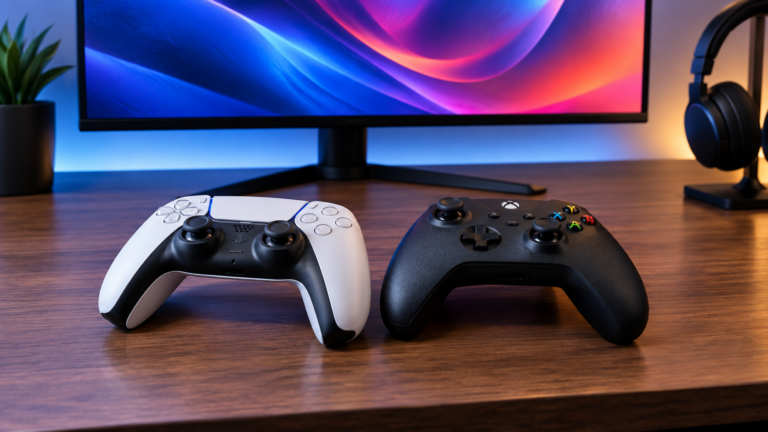
“Can I use this controller with that” has a frustrating number of answers, because compatibility is decided at three separate layers and any one of them can block you.
The three layers
Layer one: does the platform accept the hardware? Consoles generally restrict controllers to licensed devices. A controller that works perfectly on PC may simply not be recognised by a console, and that is a deliberate platform decision rather than a fault.
Layer two: does the game understand the input? On Windows, most games expect XInput, the interface Xbox-layout controllers implement natively. A controller speaking a different protocol may work, work partially, or show the wrong button prompts.
Layer three: do the extra features survive? Rumble, triggers, motion, touchpads and audio are frequently the first things lost, even when the basic input works.
Most “my controller doesn’t work properly” complaints are layer two or three, not a broken device.
PC: the practical reality
Xbox-layout controllers are the low-friction option because they are what Windows games expect. Correct prompts, no setup.
Other controllers generally work through an abstraction layer. On Steam, Steam Input handles remapping and presents the controller in a form games understand, which solves a great deal — but it applies to games launched through Steam. Outside that, you may need a separate translation tool.
Third-party controllers vary enormously. Some identify themselves as Xbox controllers and work seamlessly. Others need vendor software, and that software is where quality diverges most sharply between a well-supported product and a cheap one.
Handhelds
A handheld running SteamOS inherits Steam’s controller handling, which is generally excellent. A Windows handheld behaves like a PC, with the same XInput expectations.
The wrinkle is docked play: pairing an external controller while the built-in controls remain active can produce duplicate inputs or confuse a game about which device is player one. This is common, harmless, and usually solved in settings rather than by buying something.
Consoles
Assume licensed-only unless you have specific evidence otherwise. Adapters exist, legality and reliability vary, and firmware updates have historically broken unlicensed workarounds without warning.
If you want one controller to cover a console and a PC, start from the console’s licensing and work backwards. That constraint is the hard one.
The “one controller for everything” question
It is achievable, with caveats. The controllers most likely to cover the widest range are those that either implement the interface Windows expects natively, or ship with vendor firmware explicitly supporting multiple platform modes.
What to check before buying:
- Which platforms are explicitly listed — not implied by a marketplace listing.
- How it switches modes, and whether that requires software you only have on one platform.
- Whether the connection type is supported everywhere you intend to use it.
- Whether firmware updates need a PC, which matters if your primary device is a console.
Where compatibility complaints actually come from
In our reading, most originate with inexpensive third-party controllers sold through marketplaces, where firmware support is thin and platform certification is absent or expired. The controller is not necessarily bad hardware; it is unsupported hardware.
Under the Australian Consumer Law goods must be fit for purpose and match their description. A controller advertised as working with a platform it does not properly support is a consumer guarantees matter against the retailer — which is far easier to pursue locally than against an offshore marketplace seller.
What we have not verified
We have not tested controllers across platforms ourselves. A genuine compatibility matrix means having the controllers and the platforms and working through them systematically — that is held work.
This page explains the layers that decide the answer, so you know what to check. It does not tell you that a specific controller works on a specific platform, because we have not verified it.