
Last verified 2026-09-27 by ReviewGamers Editorial
GameShare sounds like it lets anyone borrow a game instantly. Nintendo’s own FAQ sets specific conditions on who can host, who can join, and how long the access actually lasts.
Only a Switch 2 can host
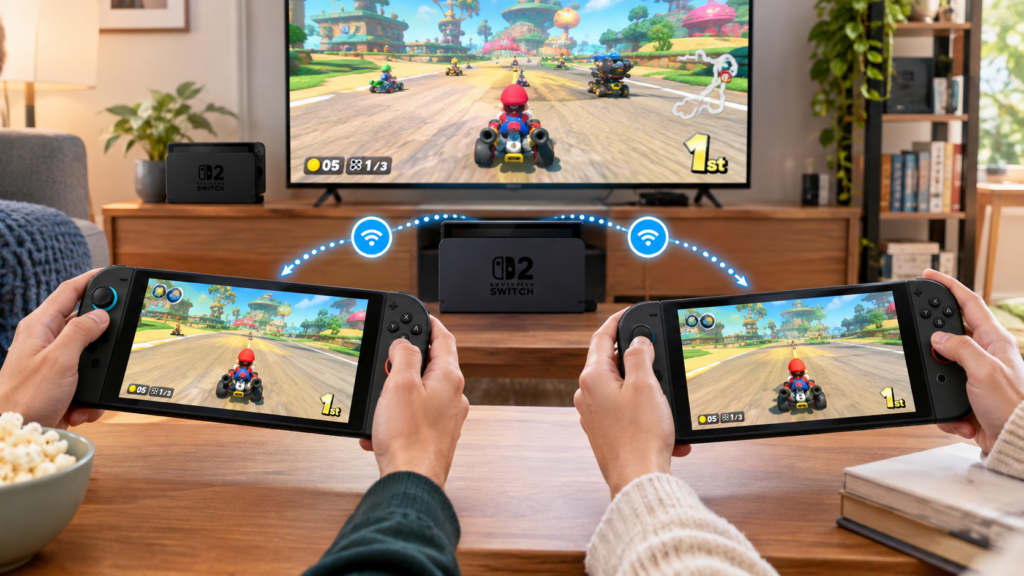
Hosting a GameShare session requires a Nintendo Switch 2 console specifically. A guest, however, can join on either a Switch 2 or an original Nintendo Switch — the hosting requirement is one-directional.
Local sharing and online sharing have different rules
Sharing over local wireless works with a guest on either a Switch 2 or an original Switch console. Sharing online, through GameChat, is more restrictive: the guest needs a Switch 2 console, and both host and guest have to be together in the same GameChat room.
Online GameShare has its own membership and setup requirements
Using GameChat to GameShare online requires an internet connection, a paid Nintendo Switch Online membership, and a registered mobile phone number for GameChat itself. Skipping any one of those blocks the online path, even if local sharing would otherwise work.
Access ends when the session ends
A guest who receives a game through GameShare can only play it for the duration of that specific session. Nintendo’s own FAQ is explicit that this is not a trial download — closing the chat or ending the session ends the guest’s access to that software.
Session size is capped
Up to four Nintendo Switch 2 or original Switch systems can take part in one GameShare session, whether that is one host and three guests or another combination within that limit.
The takeaway
GameShare is genuinely useful for letting a friend try a game they do not own, but it comes with real limits: only a Switch 2 can host, online sharing needs Nintendo Switch Online and a registered phone number, and access disappears the moment the session ends.