
Last verified 2026-09-25 by ReviewGamers Editorial
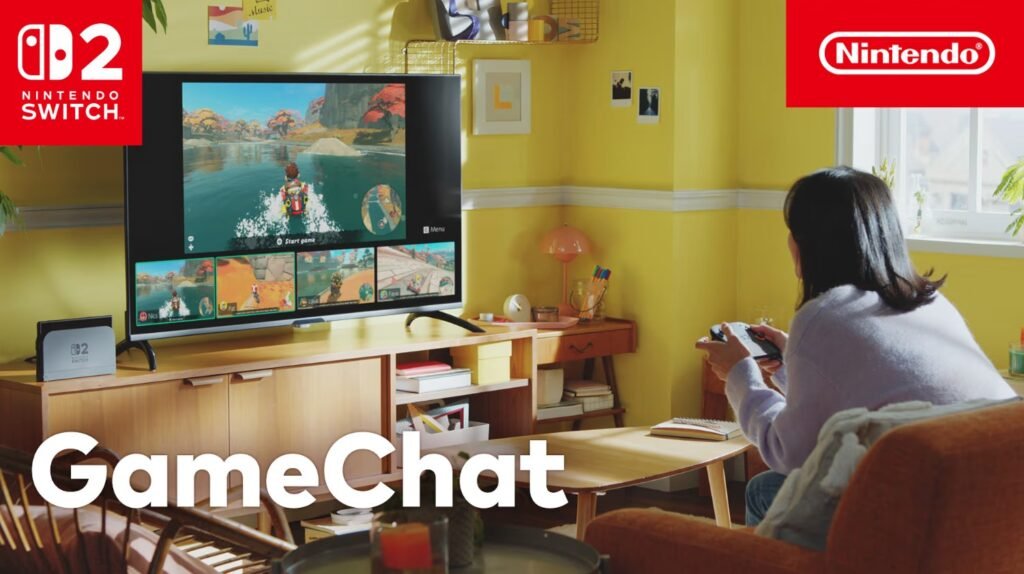
GameChat is one of the features Nintendo pushed hardest at Switch 2’s launch, and it’s genuinely different from a bolted-on party-chat app. It’s built into the system itself, which changes what it can do and how simple it is to start.
Starting a call
Getting into GameChat doesn’t require opening an app or a menu tree. Press the dedicated C button and choose a registered friend to send a call invite to. That’s the entire flow — but it also means GameChat only works with friends you’ve already added on your Switch 2 friend list, not with a join code or a public lobby.
Who can join, and what they can do
A single GameChat session supports up to 12 people on voice at once, which is a genuinely large group for a console-native chat feature. Screen sharing and video are more limited: up to four people can share their game screen or appear on video at the same time. You can share your screen even while playing a completely different game from everyone else in the call, which is the detail that makes GameChat useful for “come watch me try this boss” moments rather than only same-game party chat.
Video requires a compatible USB-C camera, sold separately — the console’s own hardware doesn’t include one built in.
How the audio actually behaves
GameChat uses the Switch 2’s built-in microphone rather than requiring a headset, and it does real-time processing on that audio: filtering background noise, adjusting for whether you’re in handheld, tabletop, or TV mode, and turning down in-game sound bleeding into the mic. This is the part Nintendo has leaned on most in its own marketing, since a chat feature that constantly picks up game audio and background noise is a fast way to make voice chat unusable.
What you need to actually use it
GameChat sits behind a Nintendo Switch Online subscription requirement — it isn’t a free system feature outside of the trial window Nintendo ran at launch, which its own support page lists as ending 31 March 2026. If that window has closed by the time you’re reading this, an active membership is the baseline requirement.
Parental controls
Nintendo requires accounts belonging to players aged 15 and under to get parent or guardian approval before GameChat can be used at all. Beyond that on/off gate, the Nintendo Switch Parental Controls companion app lets a parent decide which specific GameChat capabilities — voice, video, screen share — a child account can use, rather than treating it as a single all-or-nothing toggle.
The honest limitation
GameChat is a system-level feature, which means it lives and dies by whether your specific group actually uses Switch 2 as friends on the platform. It doesn’t replace a general-purpose voice app for chatting with people across platforms — it’s built specifically for a Switch 2 friend group already playing together, and that’s the context it’s genuinely good in.