
Last verified 2026-09-25 by ReviewGamers Editorial
Joy-Con 2’s mouse mode is one of Switch 2’s genuinely new control ideas — not a marketing footnote, but a real optical-sensor feature already built into specific games.
How it actually works
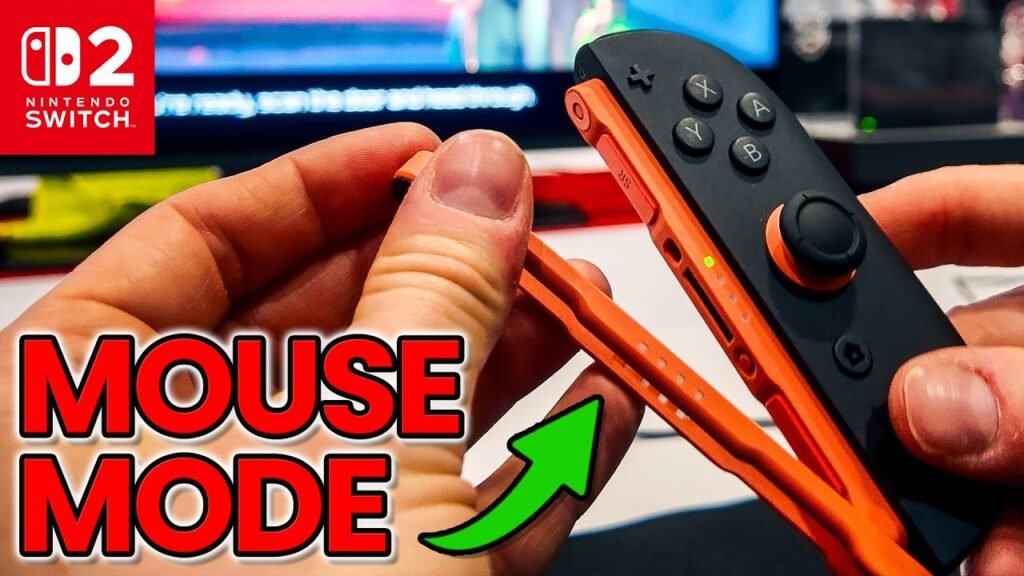
The Joy-Con 2 has an optical sensor built into its connection rail. Laying or tilting the controller onto its side against a flat surface activates mouse mode, with the built-in gyroscope and motion sensor combining with the optical sensor to track movement the way a physical computer mouse would. A cursor appears on-screen, and tilting the analog stick scrolls pages — lifting the Joy-Con off the surface instantly reverts it to standard button input, so there’s no separate mode-switch step to remember.
Best surface for it
A stable tabletop with a large mouse mat gives the cleanest tracking, similar to a PC mouse setup, but it’s flexible enough to work reasonably well on your leg or the arm of a sofa if you’re playing handheld or on a couch rather than at a desk.
It works in the system menus too
Mouse mode isn’t limited to games — it also works for navigating the Home Menu and the Nintendo eShop, giving a genuinely faster, more precise way to browse and select compared to stick-and-button navigation.
Which games actually use it
Metroid Prime 4: Beyond includes mouse mode support. Drag x Drive is built specifically around the mouse controller — pushing the mouse along a surface simulates pushing a wheelchair’s wheels, using one Joy-Con to turn, triggers to brake, and motion controls to shoot. Mouse Work and select modes in Welcome Tour and Super Mario Party Jamboree’s Switch 2 upgrade also use it, generally as minigames rather than the entire game’s control scheme.
It’s optional almost everywhere
For the large majority of supported titles, mouse mode is an optional alternative rather than a required control method — if aiming or navigating with a mouse-style input doesn’t click for you, standard controls remain fully available in nearly every case.
The practical takeaway
Mouse mode is a genuinely functional PC-style input built into Joy-Con 2’s hardware, currently used meaningfully in a small but specific set of titles (most notably Drag x Drive, built entirely around it) — worth trying if a supported game offers it, but not something you need to master since it’s optional almost everywhere it appears.