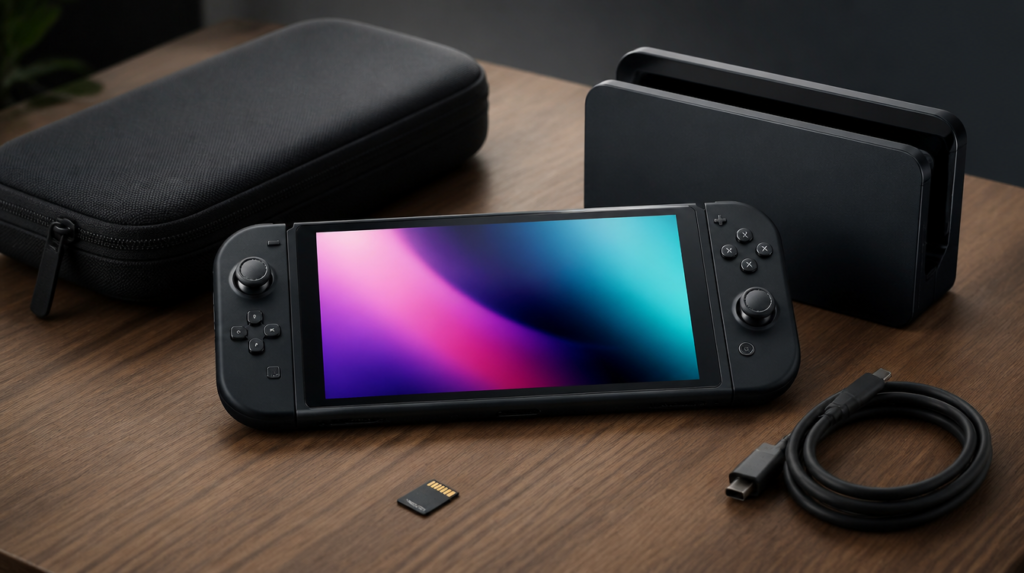
Last verified 2026-09-13 by ReviewGamers Editorial
Storage is the one purchase with a hard compatibility requirement. Almost everything else is preference.
Buy storage first, and buy the right standard
This is the only accessory on the list with a hard compatibility requirement, and it is the one people get wrong.
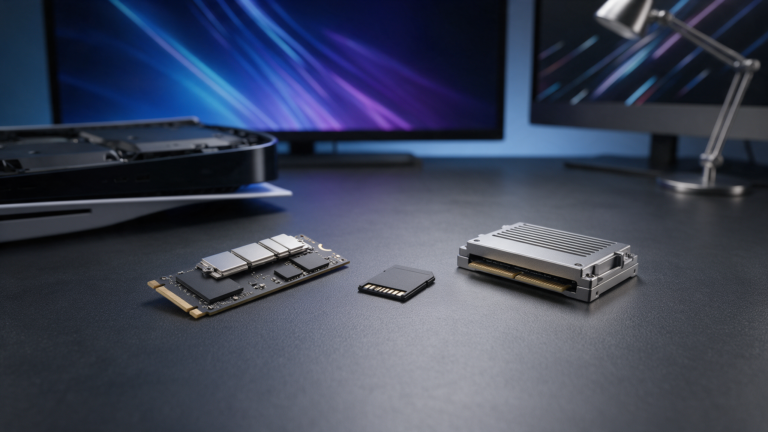
Nintendo documents the Switch 2 as using microSD Express. Per the SD Association, SD Express uses PCIe and NVMe interfaces inside the familiar microSD form factor — it is a fundamentally different interface from the UHS-I cards used by the original Switch.
A standard microSD card will physically fit. It is not a substitute, however new or expensive it is. If you owned an original Switch, your existing cards do not carry over for this purpose.
Storage capacity and purchasing strategy
The Switch 2 ships with internal storage, but games are large. A 256 GB or 512 GB microSD Express card is the standard sizing; smaller capacities fill up quickly if you hold a moderate library locally.
SD Express cards are categorised by speed tier. The SD Association defines ratings such as V30, V60 and V90, which indicate minimum sustained write speed. These ratings matter when writing game installations to the card, not when playing from it. Check the card’s packaging for its speed designation alongside its capacity.
Buying larger than you initially need is generally cheaper per gigabyte, but only if you have a retailer you can return it to if something goes wrong. Storage cards purchased from discount marketplaces are the highest-risk category for counterfeits.
Counterfeit cards are a real marketplace problem
Storage is the most counterfeited accessory category in gaming, and the fakes are convincing. A card that reports the right capacity and fails under sustained write is the classic failure mode.
Counterfeit microSD cards often pass initial checks — they appear in your system with the stated capacity — but fail when writing large files. If a card works for playback but throws errors when installing a new game, it is a common counterfeiting signature.
Buy storage from a retailer you could return it to. In Australia, your Consumer Rights and Guarantees under the ACCC framework apply to all storage cards, including counterfeit units. A retailer that refuses returns or disputes authenticity is a red flag.
On marketplace listings, compare prices across multiple retailers. If a capacity is $40–60 more expensive everywhere except one listing, the cheap option is suspect. Compare seller ratings and read reviews mentioning installation or copy errors specifically, not just speed complaints.
A case earns its money faster than anything else
If the console leaves the house at all, a case is the cheapest insurance available. The screen is the expensive part and it is the part that gets damaged.
This is genuinely low-risk spending: the requirement is that it fits and closes properly, and there is no compatibility standard to get wrong.
Case types and choosing what suits your use
Hard cases with foam inserts protect during travel and drops. Soft neoprene sleeves fit into bags more easily but offer less impact protection. Semi-hard cases with a flip cover fit between the two — less bulk than hard cases but more protection than sleeves.
If you play docked at home and travel occasionally, a soft sleeve is sufficient. If you commute with the console or travel frequently, a hard case is worth the space. The Switch 2’s dimensions are similar to the original, but consult a retailer about fitment before purchasing a used case from an original Switch.
A second controller is a want, not a need
Buy one when you actually have a second player, not in anticipation of one. Controllers do not become scarce and they discount regularly. Adding a second controller just in case is common; using it is rare unless you have regular co-op players in your household.
If you play docked frequently, a full-size controller is a comfort upgrade worth considering before a second set of small ones. The Switch 2’s Joy-Cons can be used as a pair for single-player games, but longer handheld sessions may be more comfortable with the full-size controller grip.
For games that are single-player only or rarely played co-op — most story-driven titles fall here — a second set of controllers is unnecessary spending. For titles with frequent local multiplayer such as party games or fighters, a second controller becomes a qualifying purchase.
Be careful with third-party docks and chargers
Third-party docking and charging accessories are the category where compatibility problems and, historically across handheld platforms generally, hardware damage reports concentrate.
We are not in a position to tell you which specific third-party units are safe, because we have not tested them. What we can say is that this is the category where the first-party option carries the least risk, and where saving money has the worst downside.
Charging and power delivery basics
Nintendo specifies the power delivery requirement for Switch 2 charging. Third-party docks and chargers operate at the edge of these specifications — if a third-party charger claims the same power delivery but operates outside Nintendo’s tolerances, it creates a mismatch.
Underpowered chargers may charge the console slowly or not at all while playing, or may drain the battery even when plugged in. Overpowered chargers, though less common, introduce their own compatibility risks. Third-party docks present additional complexity: a dock that negotiates power delivery incorrectly or does not communicate properly with the console can leave you unable to dock or charge until you switch accessories.
If third-party pricing is attractive, confirm the seller offers a straightforward return policy. Test it immediately after purchase and verify that battery charge increases while docked and playing.
What to skip at launch
Screen protectors beyond a basic one, decorative shells, and bundled ‘starter kits’ that combine one useful item with several you would never buy separately.
Kits look like value because the unit price per item is low. Work out what you would actually use, price those individually, and compare. A typical starter kit includes a case (good), a basic microSD card (often obsolete microSD instead of Express), a screen protector (optional), and novelty straps or grips (rarely used). You will pay for items you do not want.
Decorative shells and skins add cost and weight without functional benefit. Screen protectors are optional: the Switch 2 screen is designed to resist scratches from normal use. If you use a case with a flip cover that keeps debris off the screen, a protector is redundant. If you carry the console in a bag with other items, a basic one prevents scratches, but premium multi-layer protectors are spending on diminishing returns.
Launch bundles often include titles you own elsewhere or would rather buy on sale later. Buying accessories à la carte gives you only what you need and the flexibility to wait for prices to normalise.
Purchase planning by use case and budget
Use case and budget are the two decision gates. Budget bands in Australian gaming retail range from value (under AU$100 total accessories spend) to mid-range (AU$100–250) to comprehensive (AU$250+).
Handheld primary, value budget: Storage card first (mandatory). A basic soft case second (AU$15–30). Everything else waits. Total: AU$60–90.
Handheld primary, mid-range budget: Storage card (AU$50–80), soft or semi-hard case (AU$25–50), basic controller grip or stand if comfort is a concern (AU$20–40). Total: AU$95–170.
Dock + handheld balance, mid-range budget: Storage card (AU$50–80), case (AU$25–50), first-party dock if not bundled (AU$80–120, depending on your play environment). Total: AU$155–250.
Dock primary or co-op household, higher budget: Storage card (AU$50–80), hard case for travel (AU$40–60), second controller (AU$60–100), first-party dock (AU$80–120), optional full-size controller if docked regularly (AU$80–120). Total: AU$310–480.
Work backwards from your budget and use case. Storage is non-negotiable; a case follows if you leave home with the console. Everything after that depends on how and where you play.
Owning the hardware and the accessories, and testing sustained write performance on storage cards and power delivery behaviour on third-party docks.
That is Tier A work. This page is compatibility and purchasing sequence, grounded in the published standards — not a performance ranking we cannot support.
Warranties and consumer guarantees in Australia
Australia’s Consumer Rights and Guarantees apply to all accessories: cases, chargers, storage cards, controllers — everything. These guarantees are distinct from manufacturer warranties and cannot be removed by a retailer’s “no returns” policy.
If an accessory arrives defective or fails within a reasonable time, you have a statutory right to a refund, replacement, or repair, even if the retailer’s policy says otherwise. The ACCC defines “reasonable time” as months, not days, for most electronics accessories.
For counterfeit cards and other fraud, you are protected at the point of sale: the retailer who sold it to you is liable, not the marketplace where it was listed. This is why buying from a reputable Australian retailer with a clear return path is risk reduction, not just convenience.