Last verified 2026-09-13 by ReviewGamers Editorial
A dock is a USB-C hub with power passthrough. It is not a performance device and it cannot make a handheld more capable. What it can do is fail in specific, predictable ways — and almost every disappointment traces back to one of three causes.
Cause one: bandwidth
A single USB-C connection carries a finite amount of data, shared between video, USB devices and networking. Everything plugged into the dock is drawing from the same budget.
This is why a dock advertising 4K at 60Hz may deliver that only when nothing else is connected, and why adding a high-speed drive or a capture device can quietly reduce what the display gets. It is also why “supports 4K” and “supports 4K while you are actually using the dock” are different claims.
What to do: decide the resolution and refresh you actually need, then check that the dock supports it with the peripherals you intend to use.
Cause two: power negotiation
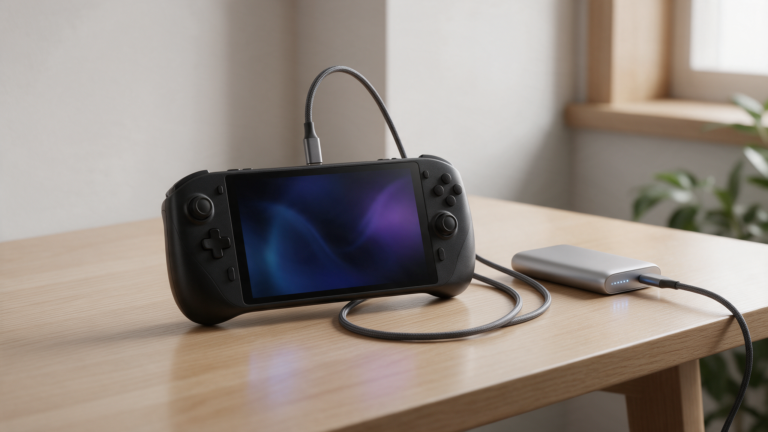
Docks pass power through to the handheld using USB Power Delivery, which the USB-IF describes as a negotiation — the device requests what it needs and the charger supplies what both ends support.
Two failure modes follow:
- The dock’s power passthrough is lower than the device wants. It charges slowly, or holds steady while you play, or drains under load. Nothing is broken; the budget is just too small.
- The charger you pair with the dock is the limiting factor. Docks frequently ship without one. A dock rated for 100 W passthrough with a 30 W charger attached is a 30 W system.
What to do: check the dock’s passthrough rating and what charger you are actually plugging into it.
Cause three: specifications nobody verified
Dock specifications are vendor claims. In a category dominated by white-label manufacturing and marketplace listings, that is a meaningful caveat — two docks with identical claimed specifications can behave differently, and the listing will not tell you which one you have.
This is precisely why our own dock guidance is held until we can measure output. Claimed resolution, claimed refresh and claimed passthrough wattage are the three numbers most worth verifying and least often verified.
The checklist
Before buying, know:
- Target resolution and refresh on the display you will actually connect.
- Passthrough wattage, and whether a charger is included.
- What else you will plug in — every device shares the bandwidth.
- Ethernet or wireless, if you play online docked.
- Physical fit. Some docks assume a specific device thickness or port position and fit poorly with a case on.
- Where you are buying it, because this category has a high rate of unaccountable sellers.
Things a dock will not fix
- Frame rate. A dock changes output, not rendering.
- Thermals. Docked play often runs hotter because the device is being driven harder at a higher output resolution.
- A display’s own limits. If the screen tops out at 60Hz, the dock cannot exceed it.
Buying in Australia
Docks sit in the category most affected by cheap imports of unverifiable provenance, and a dock failure can take the attached device with it. Buying from an Australian retailer keeps your consumer guarantees practical — under the Australian Consumer Law goods must be of acceptable quality, and the claim is against the retailer, not an offshore seller.
For a component sitting between mains power and an expensive handheld, that is worth more than the saving.
What we have not done
We have not measured a dock. Our dock guidance — what each one actually outputs, at what refresh, with what power passthrough — is Tier A work requiring the units in hand, and it stays held until then.
This page tells you what governs the outcome. It does not tell you which dock to buy, because we do not yet know.