
Last verified 2026-09-21 by ReviewGamers Editorial
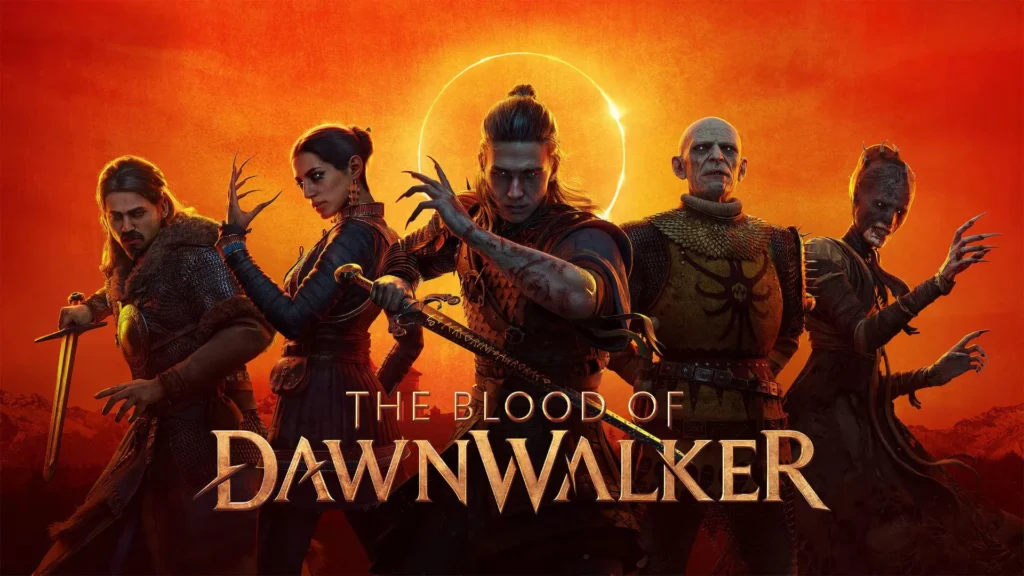
Rebel Wolves has pushed three PC hotfixes for The Blood of Dawnwalker in the week after its 3 September Steam launch. This is what versions 1.0.3, 1.0.4 and 1.0.5 changed according to the studio’s own Steam announcements, what is still open, and what to try if stutter has not gone away.
What happened
The Blood of Dawnwalker, developed by Rebel Wolves and published by Bandai Namco Entertainment, launched on Steam on 3 September 2026. The Australian Steam listing prices it at A$109.95, Windows only, with full controller support. The first hotfix landed one day later on 4 September, and the third on 10 September.
It launched big. Rebel Wolves’ 9 September Steam post announced 1 million copies sold, and SteamDB’s global top-sellers list for 1 to 8 September, republished on the game’s Steam news hub, placed it first for the week. A player base that size finds bugs quickly, which explains the patch cadence.
Hotfix 1.0.3 (4 September): DualSense on Steam
Rebel Wolves’ 4 September post is short: 1.0.3 rolled out on PC and added DualSense support on Steam. If you play with a PS5 controller on PC, this is the update that made it a proper option rather than a workaround.
Hotfix 1.0.4 (9 September): stability, quest blockers and saving
This is the substantial patch. The studio’s 9 September announcement lists these highlights:
- improved overall stability
- several quest-progression blockers fixed
- an issue that prevented saving fixed
- controllers running outdated GameInput software no longer cause FPS drops
- torches no longer grow uncontrollably
- the tutorial no longer locks if Voracious Bite is used too quickly
- Coen no longer gets stuck in certain houses
- dead NPCs no longer start dialogues
- blocking is no longer disabled in certain circumstances
The GameInput item is the one to remember if your frame rate fell off a cliff the moment you plugged in a pad. The studio’s wording ties the drop to outdated GameInput software on the player’s PC, so keeping that component current is still worthwhile after patching.
One caveat: the announcement feed captured for this article cut the post off before the full quest list, so the specific quests unblocked are not reproduced here. Third-party recaps name several quests and mention a VSync fix when FSR frame generation is enabled; neither has been checked against the full Steam post, so treat both as not yet confirmed.
Hotfix 1.0.5 (10 September): shader compilation and stutter
Rebel Wolves’ 10 September post says 1.0.5 is live on Steam with improvements to the shader compilation pipeline that can fix stuttering for some users. Note the qualifier. The studio is not claiming a universal fix, and it should not be read as one.
Press testing after the patch supports that caution. DSOGaming’s PC performance analysis, published 13 September, still observed camera and traversal stutter on its Ryzen 9 7950X3D test system. If you see hitches when swinging the camera or crossing between areas after updating, that matches what DSOGaming recorded rather than pointing to a fault with your hardware.
Why it matters
For anyone who paid A$109.95 at launch, the practical questions are simple. Is the save bug fixed? The 1.0.4 notes say yes. Are quest blockers fixed? Several are, with the full list on Steam. Is the stutter fixed? For some users, in Rebel Wolves’ own words, with press still recording traversal stutter afterwards.
If you are still stuttering
Only steps grounded in the published notes and specs:
- Update to 1.0.5 and let shader compilation run to completion on the first launch afterwards; that pipeline is what the patch changed.
- Update your GPU driver. DSOGaming’s 13 September testing used GeForce 616.92 and Adrenalin 26.9.1.
- If frame drops appear only when a controller is connected, update GameInput as the 1.0.4 notes indicate.
- Check you clear the minimum: Windows 10 with DirectX 12, a Core i5-11400F or Ryzen 7 2700X, 16 GB of RAM, a GTX 1060 or RX 580 with 6 GB of VRAM, and 60 GB free on an SSD. Recommended is a Core i7-11700K or Ryzen 7 5700X with an RTX 4060, RX 7600 XT or Arc B580 carrying 8 GB.
What happens next
None of the three Steam posts lays out a roadmap for the next patch, so the game’s Steam news hub remains the place to watch. Handheld players should know that Valve’s Steam Deck compatibility report marks the game Unsupported as of 15 September, citing graphics performance; the Steam Deck hub tracks ratings for other releases. For the rest of this month’s big PC launches, read our coverage of Control Resonant’s 24 September release, or browse the PC hub.