
Last verified 2026-09-25 by ReviewGamers Editorial
Luna’s pitch is similar to other cloud gaming services — no console or gaming PC required — but which specific devices and browsers actually qualify is worth checking before assuming yours does.
The core device list
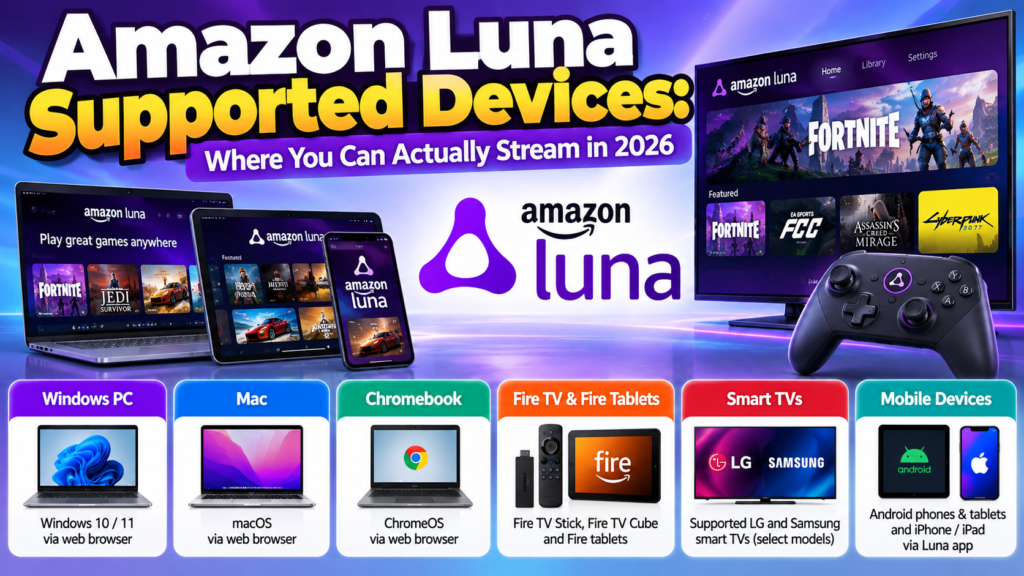
Luna is supported on Windows PC, Mac, Fire TV, Fire tablets, Chromebook, iPhone, iPad, Android phones, and select LG and Samsung smart TVs — a spread that leans notably toward Amazon’s own ecosystem (Fire TV, Fire tablets) while still covering the major non-Amazon platforms.
Browser and OS version requirements matter
For web-based access specifically, the requirements are version-specific: Chrome 83+ for PC and Mac, Chrome 86+ for Chromebook, Microsoft Edge 90+ for PC and Mac, Safari on iOS 15+ for iPhone and iPadOS 15+ for iPad, and Chrome 86+ on Android 10+ for Android devices. If Luna isn’t working in-browser on an otherwise-supported device, an outdated browser or OS version is one of the first things worth checking.
Controller options, including a dedicated one
Luna supports standard controllers — Xbox One and PlayStation 4 controllers both work, alongside mouse and keyboard. Amazon also sells a dedicated Luna Controller that connects directly to Amazon’s servers over Wi-Fi rather than through your device, specifically to reduce input latency compared to routing controller input through a phone or browser first.
The internet speed floor
Amazon states a minimum internet speed of 10 Mbps to stream with Luna — a comparatively modest bar for cloud gaming, though as with any cloud service, a stable connection matters at least as much as raw speed for a consistent experience, since Amazon’s stated minimum is a floor for functioning, not a guarantee of a smooth one.
The practical takeaway
Before assuming Luna won’t work on a specific device, check both the device itself against the supported list and, if you’re using a browser rather than a native app, your specific browser and OS version — an unsupported browser version is an easy-to-miss reason Luna might not load properly on an otherwise-compatible device.